★★★★★
“
Our engineering team shares hundreds of docs, API references, and Stack Overflow answers. Linkbry's shared workspace replaced 4 different Notion pages nobody ever updated.
K
Daniel R.
Engineering Lead · Seattle, WA
Linkbry is the shared link library for teams who are tired of asking “where's that link?” Save every tool, doc and dashboard once, organize it with nested folders, tags and notes, share a folder with clients as a read-only link, and drop any link into Slack, Gmail or Notion by typing ;; – viewers are free.
Trusted by 200+ teams & individuals worldwide
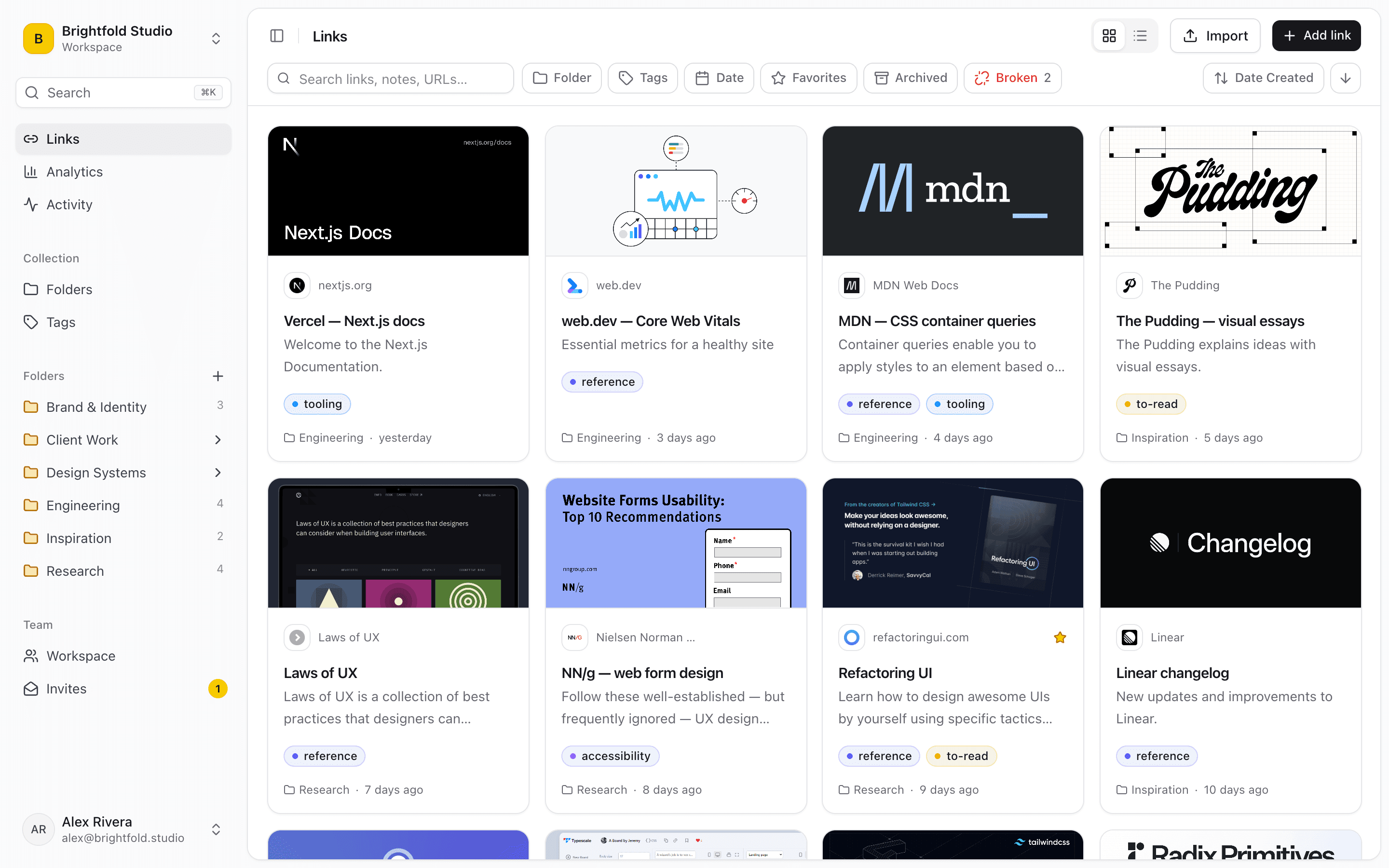
The average knowledge worker saves 15–20 links per week. Within a month, 80% of those are unfindable. Linkbry was built to solve exactly this.
Built for teams that juggle a lot of links and need everyone to find them again.
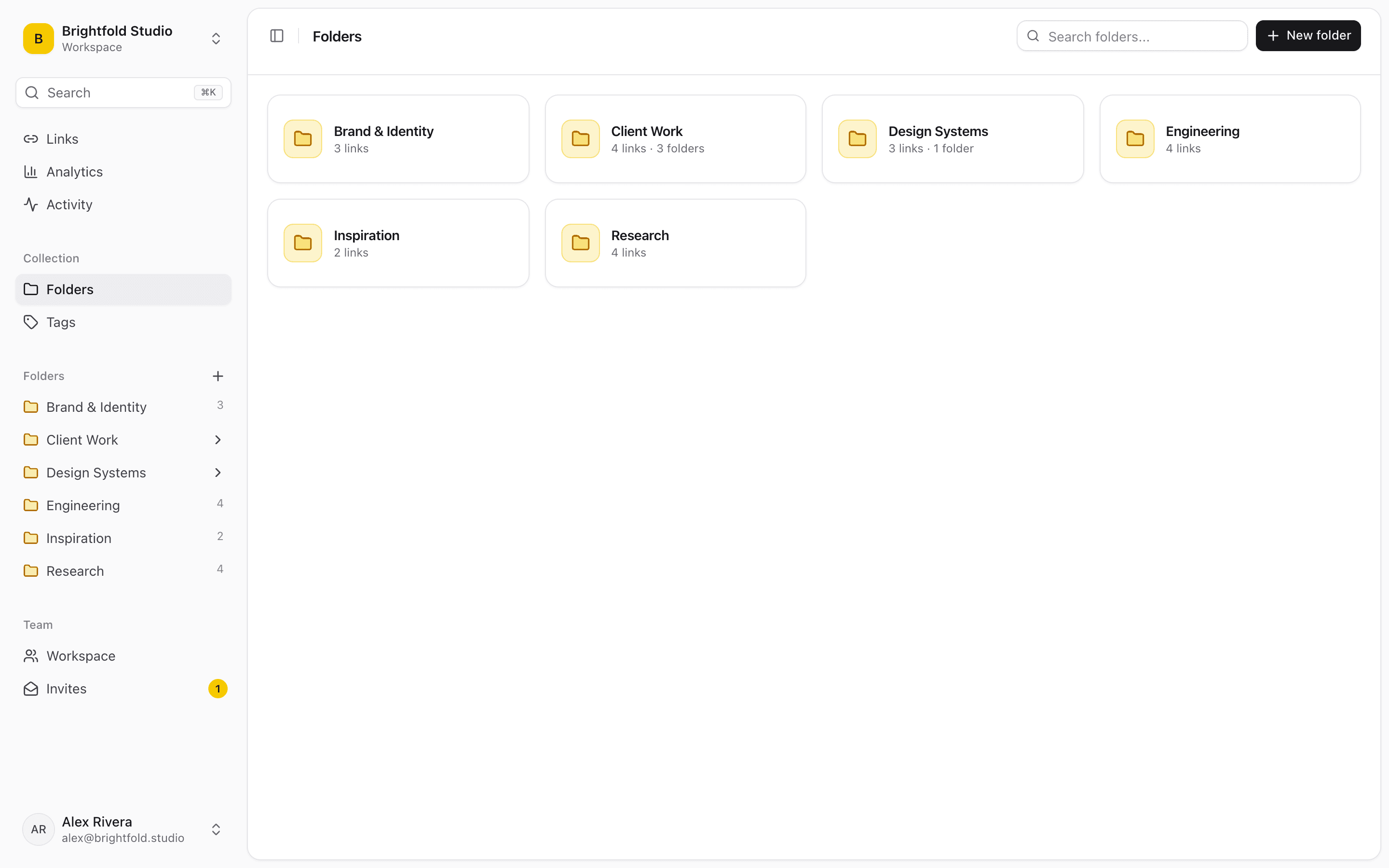
Nest folders as deep as your team needs – client › project › phase – and add as many tags as you like to any link. Star the folders and links you open every day.
Bring in bookmarks exported from Chrome, Firefox, Safari, Edge, Brave or Arc, or a CSV. Nested folders, tags and save dates come across, and duplicates are skipped. The Free plan holds 100 links; Team is unlimited.
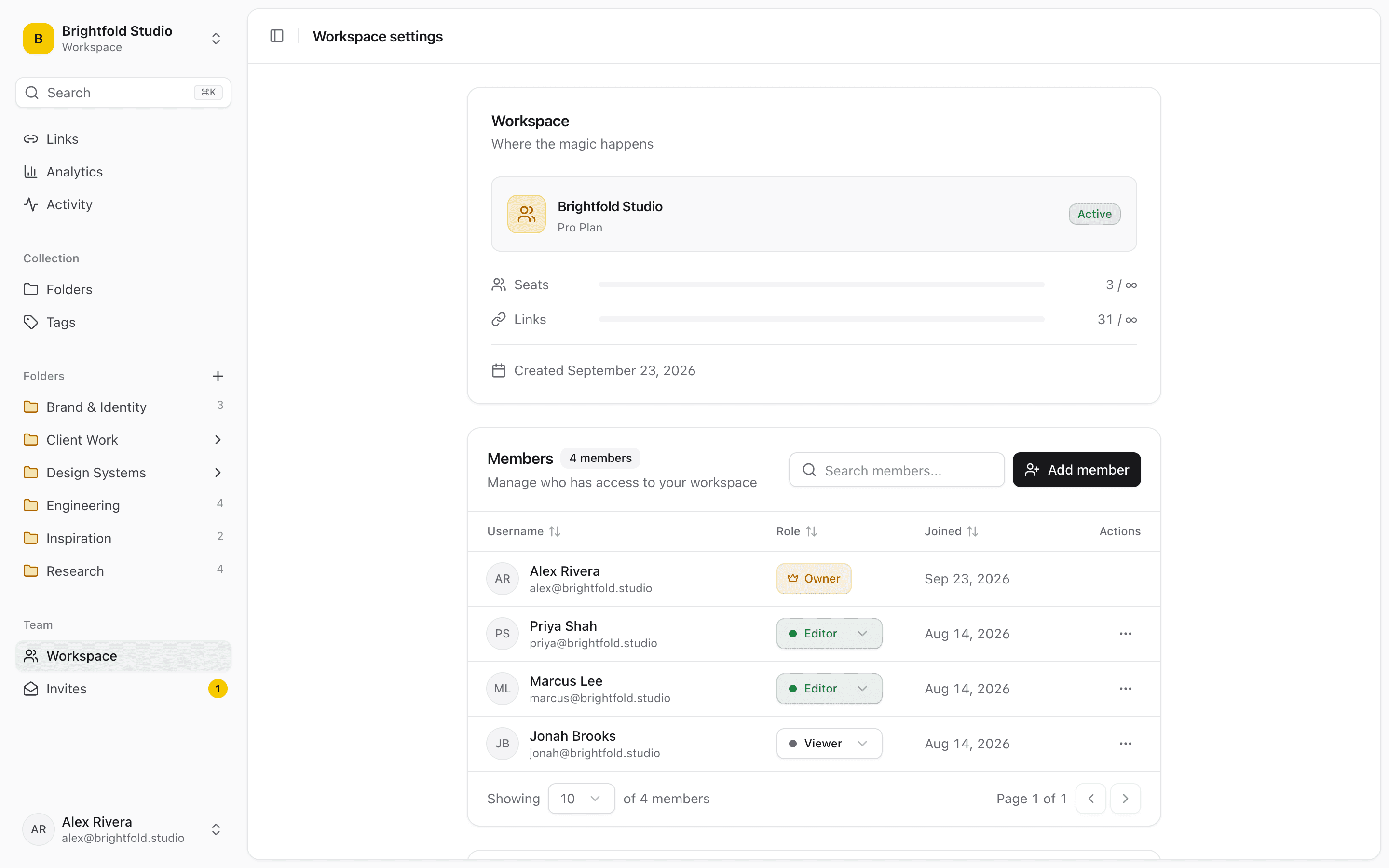
Invite teammates as owners, editors, or viewers. Editors add and organize but can't delete, viewers read, and any link can stay private to you – no more "can you send that link again?"
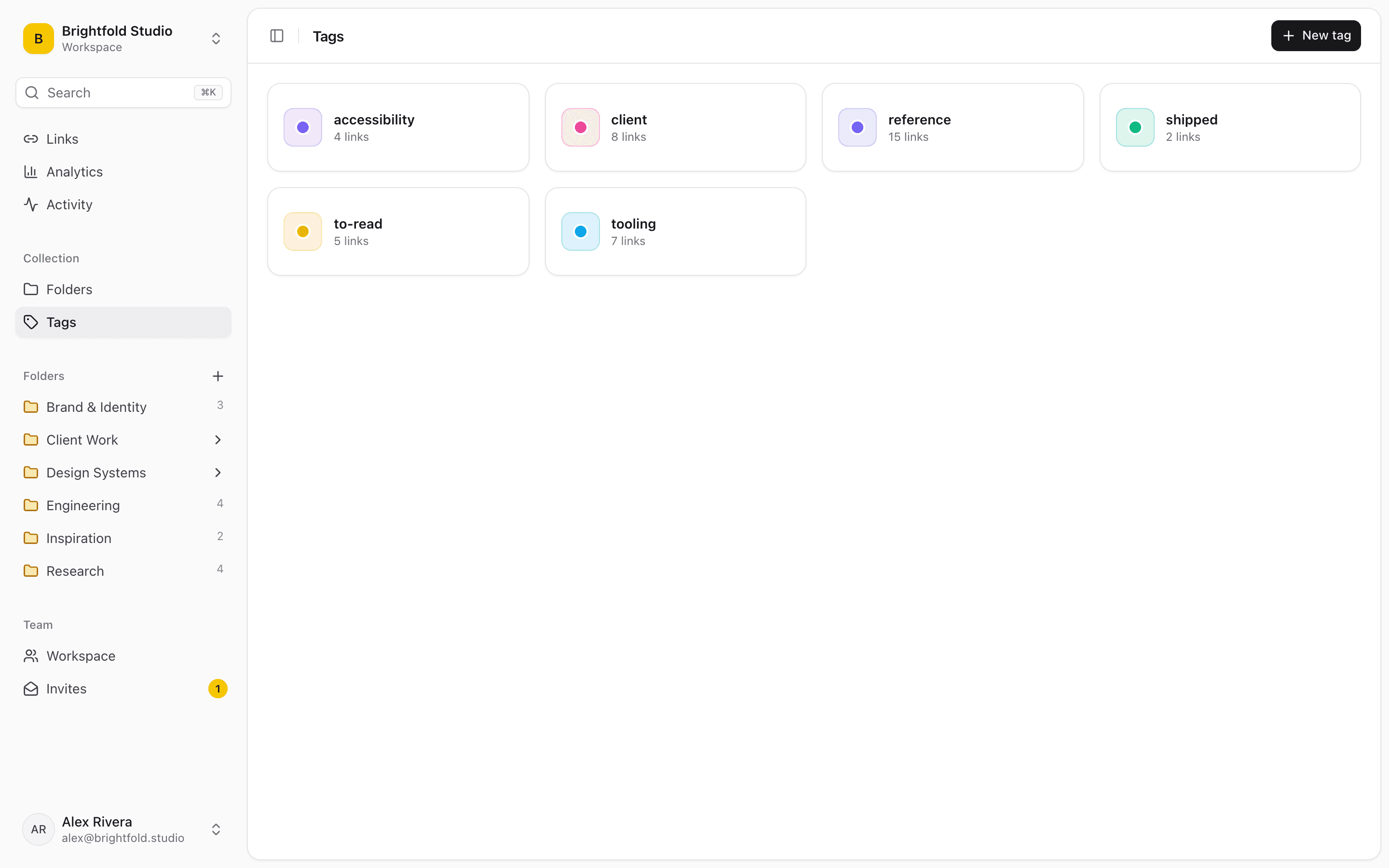
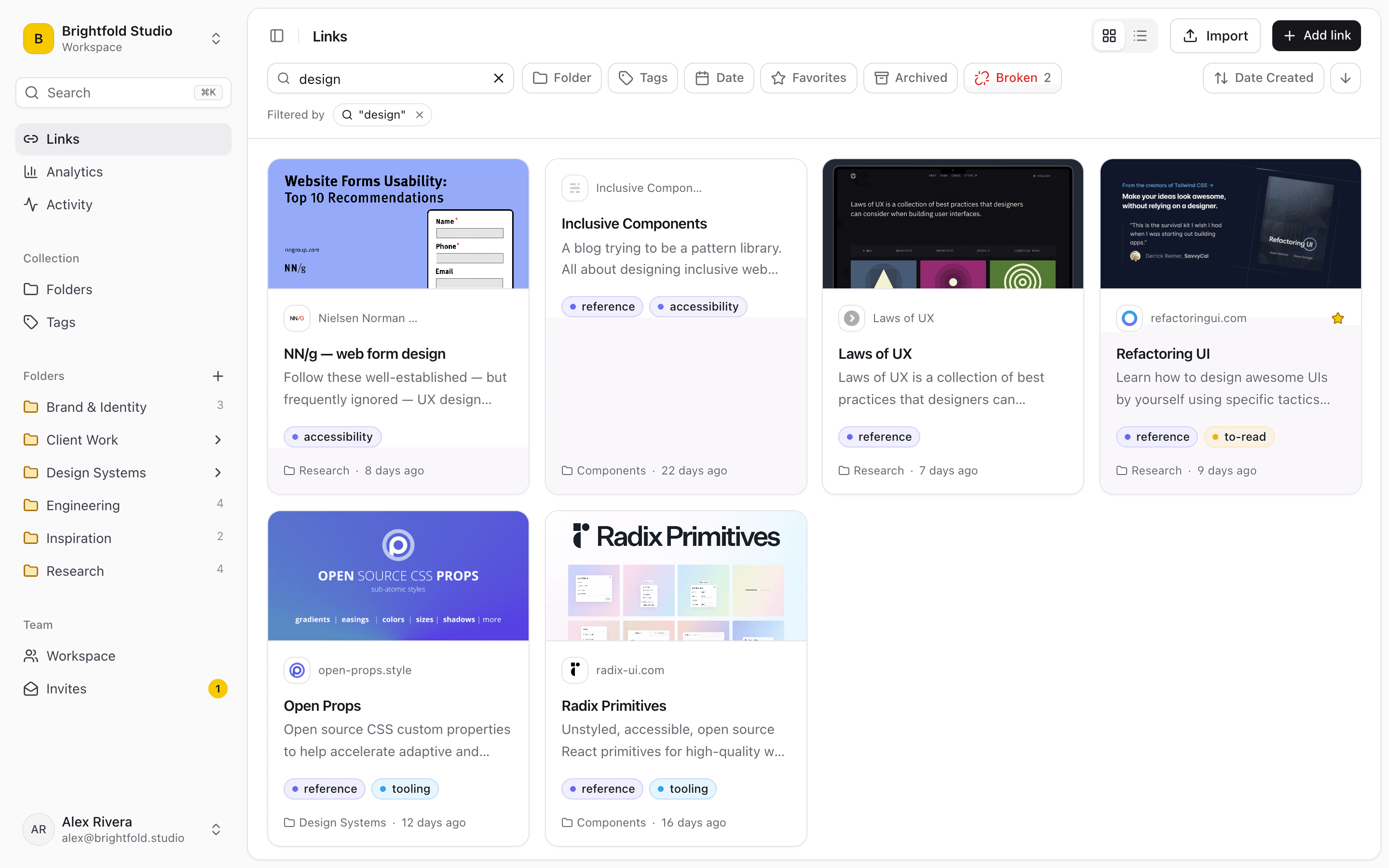
Search title, URL, description, note and site name, then filter by tag, folder, favorite or broken. ⌘K jumps anywhere, and bulk actions move, tag or archive hundreds of links at once.
Save any webpage to Linkbry in one click. The extension captures the page title and favicon automatically, and warns you if the link is already saved in that workspace.
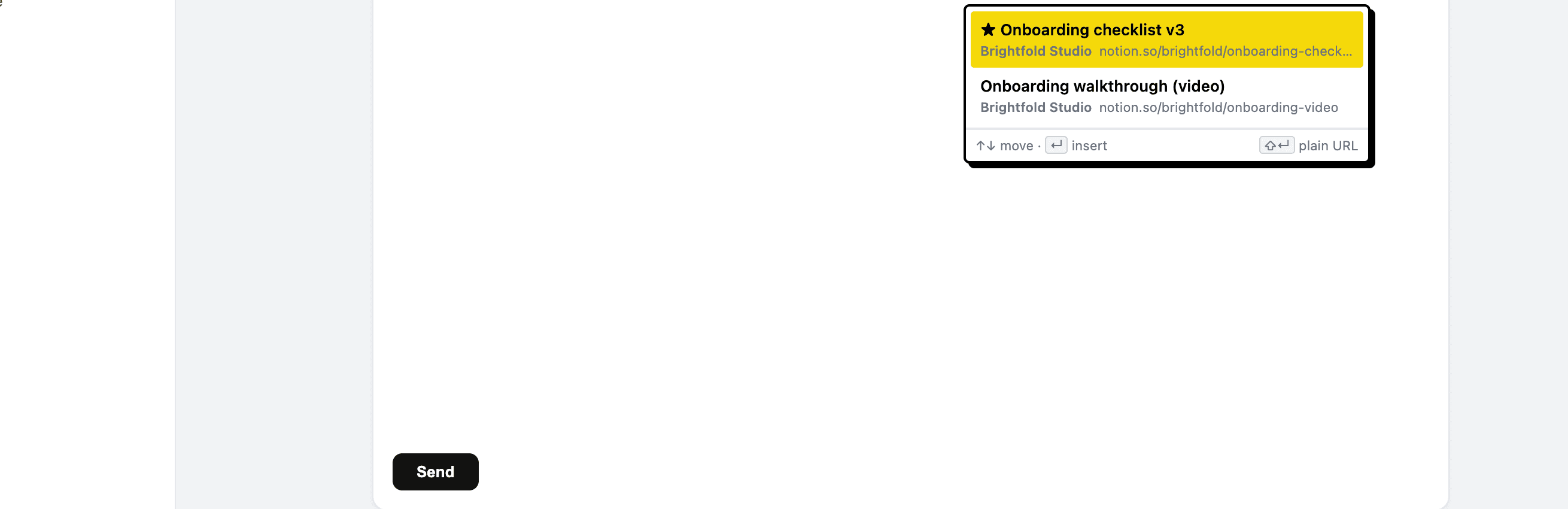
Type ;; or press Ctrl/Cmd+Shift+K in any text box – Slack, Gmail, Notion, Jira – to search every workspace you're in and drop the right link straight in.
Publish any folder – subfolders included – as a read-only page for clients or contractors. No account needed to view, notes and private links stay hidden, and you can turn it off any time.
Linkbry re-checks saved links in the background and flags ones that break or now redirect to another site. The activity feed shows who added, moved, imported or shared what.
See which links your team actually opens: total clicks, clicks per day, top links, and which teammate clicked. Data to curate smarter over time.
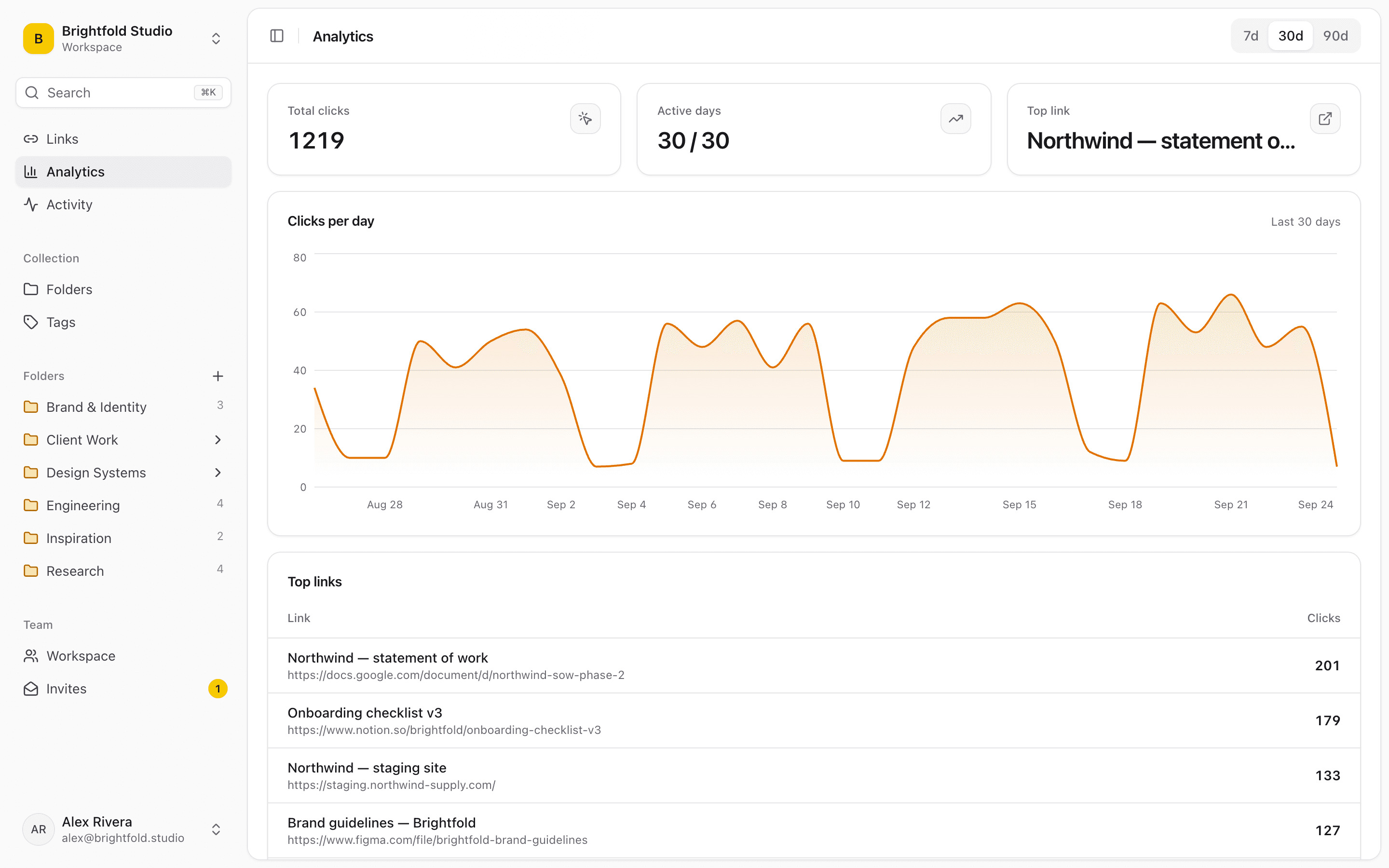
Whether you're a solo researcher, a dev team, or a marketing agency – Linkbry adapts to how you work.
Developers save dozens of documentation pages, GitHub repos, API references, and debugging threads every week. Linkbry gives you folders for every project and tech stack – so the right link is always exactly where you expect it.
“I had a folder called 'Misc' with 400 links. After Linkbry, I actually know where everything is. The Chrome extension alone saves me 10 minutes a day.”
Marketing teams juggle landing pages, ad examples, campaign references, analytics dashboards, and editorial calendars. Linkbry keeps every campaign asset organized by project – accessible by the whole team.
“We replaced a cluttered Notion database with Linkbry. Our team actually uses it now because saving a link is just one click – not a 5-field form.”
How many times has someone asked "can you send that link again?" With Linkbry's shared workspaces, everyone has access to the same organized library – with role-based permissions so nothing gets accidentally deleted.
“Our 12-person team was losing critical vendor links in Slack threads. Linkbry's shared workspace fixed that in a day. It's now part of our standard onboarding.”
Writers, academics, and analysts live on the web – collecting papers, articles, primary sources, and reference pages. Linkbry lets you build nested research folders with a note on every link, so context is never lost between sessions.
“I write about AI and LLMs. My research library has over 2,000 links. Linkbry is the only tool that makes that manageable – the tag search is genuinely powerful.”
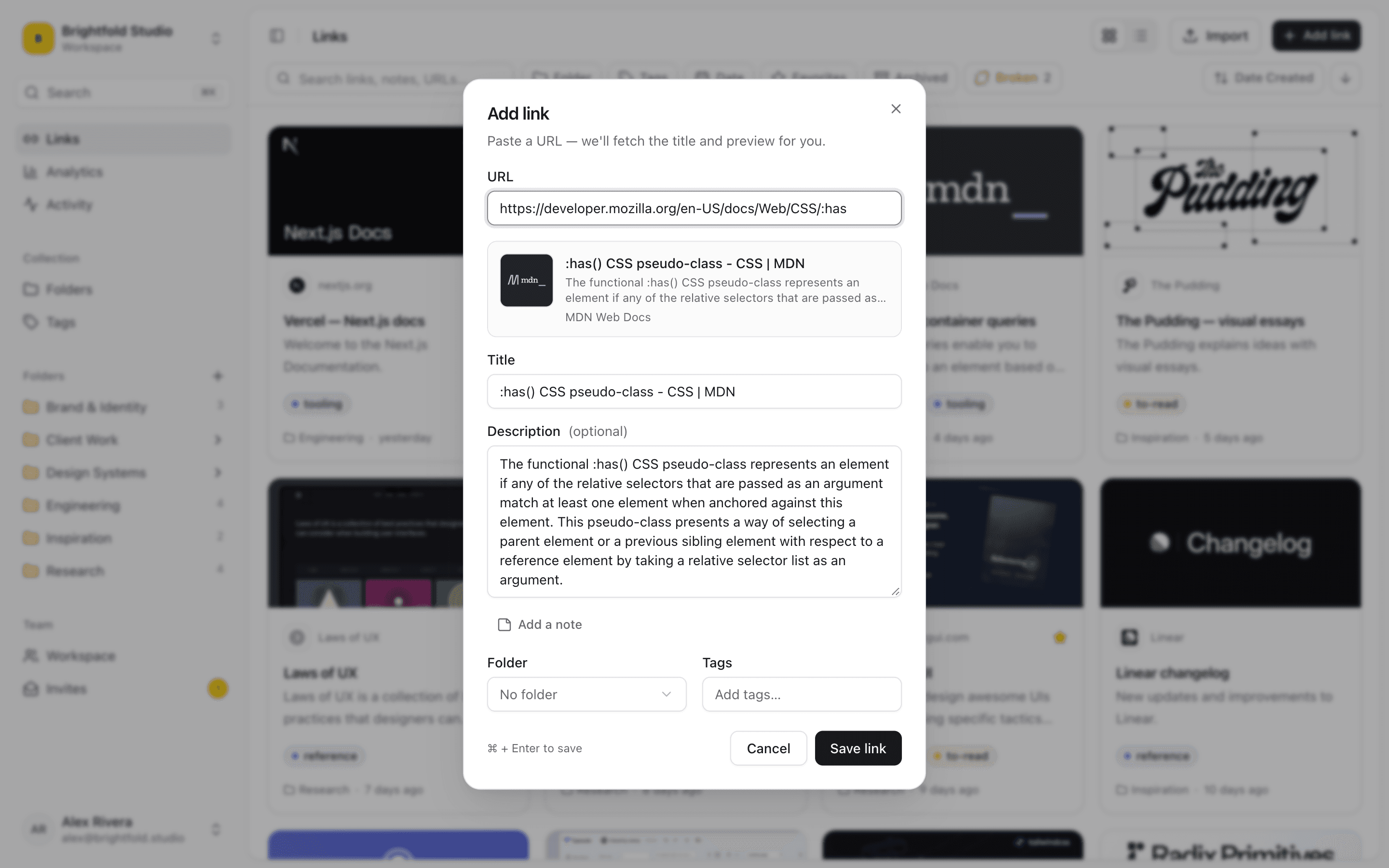
Save any page in one click with the Chrome extension, paste a URL for an instant preview, or import bookmarks from Chrome, Firefox, Safari, Edge, Brave or Arc with folders intact. Free holds 100 links; Team is unlimited.
Nest folders as deep as your workflow needs – by client, project, or topic – and favorite the ones you use most. Select many links at once to move, tag, or archive them in bulk.
Add as many tags as you like and a note on why it matters, so search can surface exactly the right link months later.
Invite teammates by email as editors or viewers – viewers are free – or publish a folder as a read-only link for clients. With the extension, anyone can type ;; in Slack, Gmail, or Notion to insert a saved link.
The Linkbry Chrome extension turns your browser into a direct gateway to your link library. No tab-switching, no copy-pasting – just save and get back to what you were doing.
An honest look at how Linkbry compares with browser bookmarks and popular bookmark managers – including where they're the better pick.
| Feature | 🔗 Linkbry | Chrome Bookmarks | Raindrop.io | Linkwarden |
|---|---|---|---|---|
| Shared team library | ✓ Whole-workspace library | ✗ No team sharing | ✓ Shared collections, free | ✓ Shared collections |
| Edit vs. read-only roles | ✓ Owner / editor / viewer | ✗ None | ✓ Member / read-only | ✓ Per-collection permissions |
| Insert saved links into any text box | ✓ ;; in Slack, Gmail, Notion, Jira | ✗ | ✗ | ✗ |
| See which links teammates actually open | ✓ Clicks per link & member | ✗ | ✗ | ✗ |
| Nested folders | ✓ Nested, plus multiple tags | ✓ Nested, no tags | ✓ Nested collections | ✓ Sub-collections |
| Page archiving & full-text search | ✗ Searches title, URL, description & notes | ✗ Title & URL only | ~ On Pro | ✓ Full-page archiving |
| Import existing bookmarks | ✓ Browser HTML & CSV, folders kept | ✓ From other browsers | ✓ | ✓ |
| Public read-only folder links | ✓ Folder + subfolders, no login | ✗ | ✓ Public collection pages | ✓ Public collections |
| Free plan | ~ 100 links, 1 seat | ✓ Free | ✓ Unlimited bookmarks | ~ Self-host free · Cloud trial |
| Team pricing | ✓ $10/editor/mo or $100/yr · viewers free | ✗ No teams | ✓ Collaboration free · Pro ≈ $28/yr | ✓ Cloud $3/user/mo (yearly) |
Deeper look: Linkbry vs Raindrop.io, vs Linkwarden and vs Karakeep.
Nothing to connect or configure: import the bookmarks your team already has, and the Chrome extension's ;; picker drops saved links into whatever you're typing in.
Free for individuals – forever. Teams are $10 per editor per month or $100 per year, and viewers are always free.
For individuals getting started
No credit card. No time limit. No tricks.
For teams that collaborate on links
Cancel any time. Viewers never count towards your bill.
Need a custom enterprise plan? Contact us →
Our engineering team shares hundreds of docs, API references, and Stack Overflow answers. Linkbry's shared workspace replaced 4 different Notion pages nobody ever updated.
Yes. The Free plan has no time limit. You get up to 100 saved links with nested folders, tags, notes, favorites, search, import and export, public folder links, and the Chrome extension. No credit card, and nothing expires.
The Team plan is $10 per month, or $100 per year, for each owner or editor – the people who can add or edit links. Viewers are free and unlimited, so you only pay for the people actually contributing. Start on the Free plan and upgrade when you need a shared workspace – you can cancel any time.
Yes. Upload a bookmarks HTML file exported from Chrome, Firefox, Safari, Edge, Brave or Arc, or a CSV (including Pocket- and Raindrop-style CSV exports). Linkbry keeps your nested folder structure, tags and original save dates, and skips links that are already saved. Imports respect your plan's link limit: the Free plan holds 100 links, so a bigger file brings in what fits and tells you what was left out – the Team plan is unlimited. Owners and editors can import from workspace settings or the ⌘K menu.
Yes, any time. Any member – including viewers – can export the workspace as a bookmarks HTML file (nested folders, titles, URLs, dates, tags and descriptions) or as a CSV, which also includes notes, folder paths and link status. Private links aren't included in exports.
Owners can do everything, including billing and inviting people. Editors can add and edit links, folders, and tags, but can't delete. Viewers have read-only access. Owners and editors are billed; viewers are free.
There are no native iOS or Android apps. Linkbry is a web app plus a Chrome extension.
The workspace owner invites teammates by email as editors or viewers. Anything saved to the workspace is visible to every member, and you can also keep individual links private to yourself. To share outside the team – with a client or contractor, say – an owner or editor can publish a folder, subfolders included, as a read-only public page that anyone with the link can open without an account. Notes, archived and private links stay hidden, and you can turn the page off at any time.
Yes, automatically. Linkbry re-checks saved links in the background – each one at most every 7 days – and flags links that are broken or now redirect to a different site, so you can review them with the Broken filter. There's no on-demand "check now" button, and a large library takes a while to be fully checked.
It's part of the Chrome extension. Type ;; or press Ctrl/Cmd+Shift+K in any text box – Slack, Gmail, Notion, Jira, and so on – to search every workspace you belong to and insert a saved link right where you're typing.
The Linkbry extension is built for Google Chrome and also works in Chromium-based browsers that can install extensions from the Chrome Web Store. There is no Firefox or Safari extension.
Join 200+ teams and individuals who finally have their link libraries under control. Free plan forever. Teams $10/editor/month – viewers free.
No credit card required. Free plan never expires.