One shared link library for your whole team
“Can you send that link again?” costs a team hours a week. Linkbry gives your team one workspace where every tool, doc, dashboard and client link lives — organized in folders and tags, searchable by everyone, and one keystroke away from any text box.
Where team links live today — and why it breaks
Most teams don't choose a link system; they accumulate one. Each workaround holds up until the team grows past the handful of people who know where things are.
- Slack pins and bookmarks: tied to one channel, and buried once the channel moves on
- A Notion or Confluence “useful links” page: goes stale because updating it is a chore
- A shared Google Doc or spreadsheet: no search worth the name, no way to see what's used
- Everyone's own browser bookmarks: invisible to the rest of the team
- Per-person tools shared collection by collection: every new hire means re-sharing
One workspace, with roles
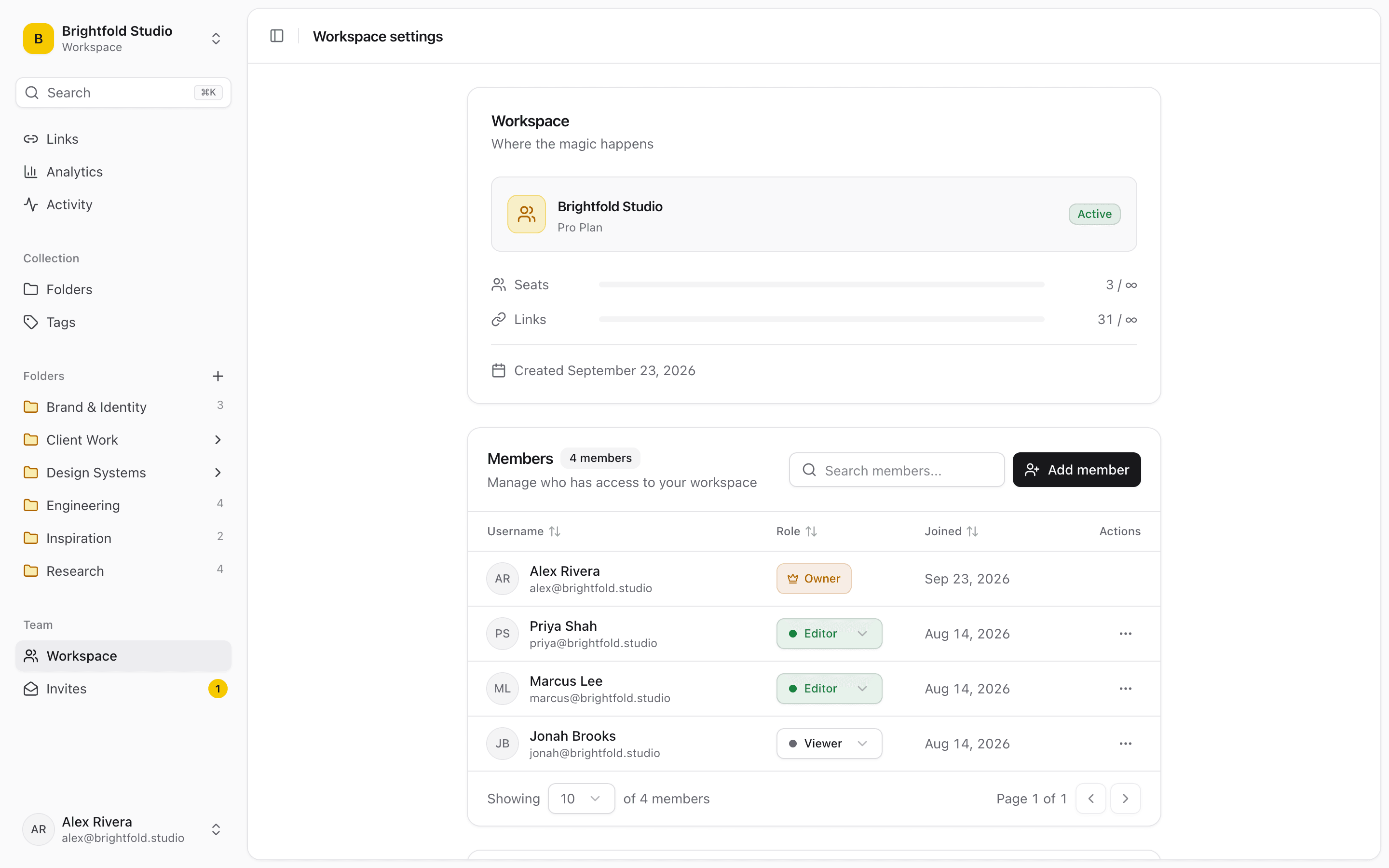
Every link saved to the workspace is visible to every member, organized in nested folders and tags, with a note on each link for the context that matters. Roles decide who can change it: owners manage members and billing, editors add and organize (but can't delete), and viewers read.
- Owner, editor and viewer roles
- Editors can't delete, so a curated folder doesn't vanish by accident
- Keep a link private to you inside the same workspace
- Belong to several workspaces — e.g. your team's and a client's
- An activity feed shows who added, moved or changed what
Share a folder with people outside the team
Clients, contractors and candidates don't need an account to see what you want them to see. Publish any folder — subfolders included — as a read-only page, send one link, and turn it off when the project ends. Notes and private links are never shown.
Pricing that doesn't punish the readers
Only the people who curate the library pay. Owners and editors are $10/month each ($100/year); viewers are free and unlimited. A 40-person company where five people maintain the links pays $50/month, not $400. The Free plan is for one person with up to 100 links, so you can set it up before inviting anyone.
Links where people actually type
The Chrome extension saves any page or link in one click, and its picker inserts saved links into any text box: type ;; in Slack, Gmail, Notion or a Jira ticket, search the team's library at your cursor, and press Enter. Nobody has to open another tab to share the right link.
See what the team really uses
Workspace analytics show which links get opened, how often and by whom, and a background link checker flags links that have broken or moved — so the onboarding folder gets pruned on evidence instead of going stale.
Set it up in an afternoon
Create a workspace, import the bookmarks your team already relies on — Chrome, Firefox, Safari, Edge, Brave and Arc exports keep their folders and tags, and duplicates are skipped — then invite teammates by email as editors or viewers. Most teams end up with a few folders like these on day one; everything after that grows from the extension as people save links in the flow of work.
- Start here — tools, accounts, handbook, who-to-ask
- Tools & dashboards — every SaaS login and internal dashboard
- One folder per active client or project
When Linkbry isn't the right fit
Linkbry is a shared library of links, not an archive. If you need full copies of pages in case they disappear, search inside page text, or a self-hosted server, look at Linkwarden, Karakeep or Raindrop.io Pro instead. There are no native mobile apps — Linkbry is a web app plus a Chrome extension.
Frequently asked questions
$10 per month (or $100 per year) for each owner or editor. Viewers are free and unlimited, so you only pay for the people who add and organize links.
Yes. Invite them as viewers — they can browse and search the whole workspace and open every link, but can't add, edit or delete anything.
Editors can add, edit and organize links, folders and tags, but can't delete them. Viewers are read-only. Owners can do everything, including managing members and billing.
Yes. Owners and editors can publish any folder as a read-only page that anyone with the link can open, no account needed. Turn it off at any time. For ongoing access, invite people as free viewers instead.
Through the Chrome extension: type ;; in any text box — Slack, Notion, Gmail, Jira and so on — to search your workspace and insert a link. There isn't a native Slack app.
Yes. Import the bookmarks HTML file from Chrome, Firefox, Safari, Edge, Brave or Arc, or a CSV — nested folders, tags and save dates are kept and duplicates are skipped. The Free plan holds 100 links; the paid plan has no link limit.
Start organizing your links today
Free forever for one person. No credit card needed.