Shared folders, nested as deep as your work goes
Most team links live in four places at once: a Slack thread, a pinned message, a doc and one person's browser. A shared Linkbry folder puts them in one place every workspace member sees — client → project → phase, as deep as you need.
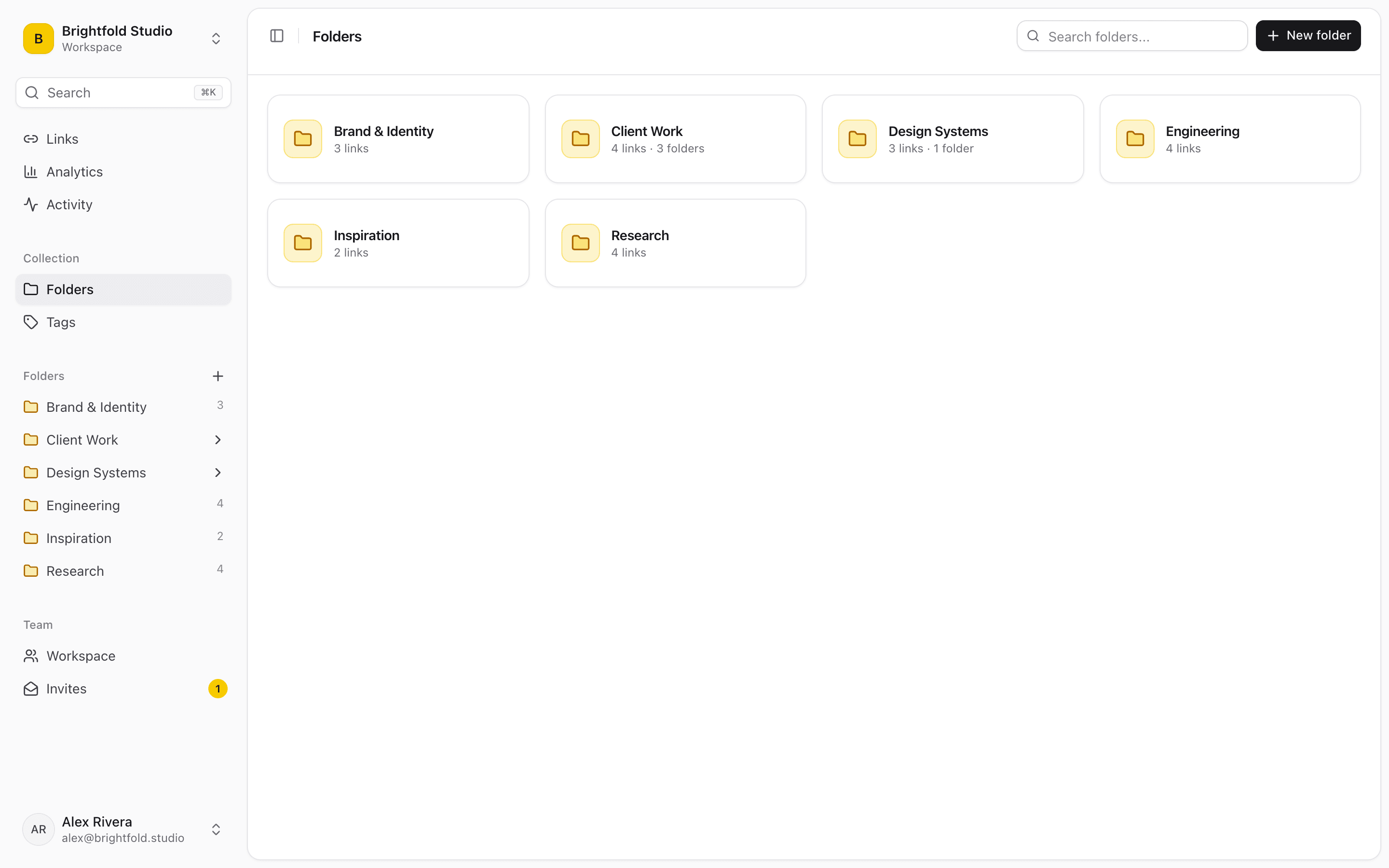
Structure that matches how the team works
Nest folders inside folders with no depth limit, and move them around as projects change shape — everything inside moves with them. Anything a single folder can't express goes in tags.
- Folders inside folders, as deep as your work goes
- Move a folder and its links and subfolders move with it
- Favorite the folders you open daily so they sort to the top
- Multiple tags per link cover the “it belongs in two places” cases
Shared by default, private when you need it
Links saved to the workspace are visible to every member, so the folder a teammate filled last week is already there for you. Links can also be kept private to you inside the same workspace — and any folder can be published as a read-only link for people outside the team.
Roles keep the structure intact
Owners and editors organize; viewers read. Only owners can delete folders, so a well-kept structure doesn't disappear by accident — and viewers are free, so the whole company can use it.
Bring the structure you already have
Importing a bookmarks file from Chrome, Firefox, Safari, Edge, Brave or Arc keeps its nested folders, tags and save dates, so the team's existing organization comes across intact.
Start organizing your links today
Free forever for one person. No credit card needed.