Tidy up fifty links in one go
Every link library needs a clean-up eventually: a project ends, a tag gets renamed, an import lands in the wrong place. Linkbry lets you select as many links as you need and act on all of them at once, instead of opening each one.
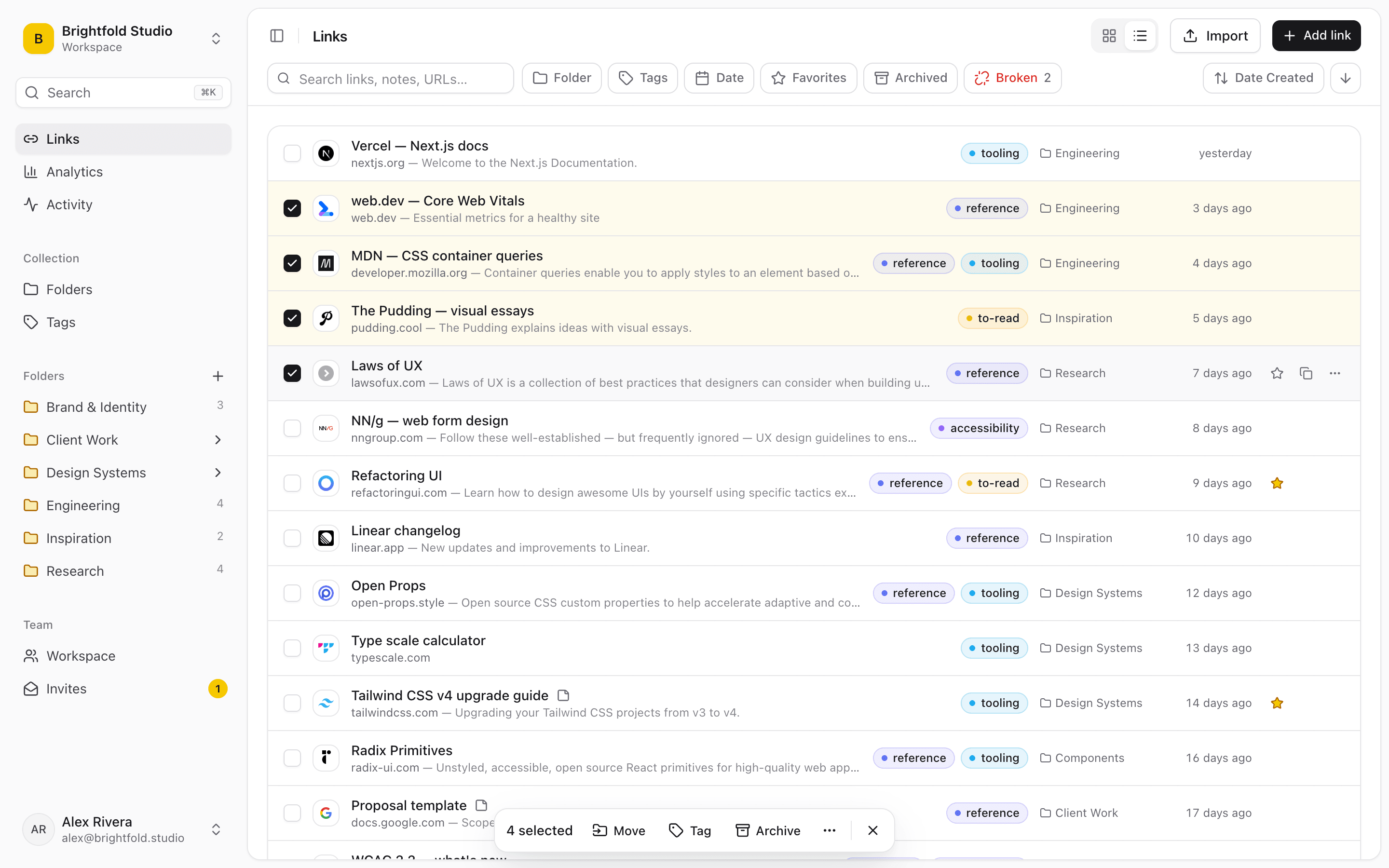
Select the way you already know
Click a checkbox to select a link, Shift-click to select a range, or press ⌘A (Ctrl+A) to select everything in the current view. Press X to select from the keyboard and Esc to clear.
- Click, Shift-click for a range, ⌘A for all
- Works on whatever you've filtered or searched to
- A floating bar shows how many are selected
One action for all of them
Move the selection into a folder, add or remove tags, favourite them, archive or restore them, or delete them. The job that used to be an afternoon of right-clicking takes one action.
- Move to a folder
- Tag or untag
- Favourite
- Archive or restore
- Delete
Filter first, then act
Bulk actions work best with a filter. When a client engagement wraps up, a studio filters to that client's folder, selects all and archives. After an import, filter by date added and move the new batch where it belongs. When the weekly link check finds dead links, filter to Broken and deal with all of them at once.
Archive before you delete
Archiving takes links out of your everyday view without losing them, and restoring brings them back. It's the safer default for “we don't need this right now,” and archived links are never shown on public share pages.
Start organizing your links today
Free forever for one person. No credit card needed.